Android · Free from this site
SporeLog
A grow log for culinary mushroom growers on Android. See where every culture came from, and everything it went on to seed.
Tubs, bags, petri dishes, liquid cultures, spore syringes and grows, each one linked to the one it came from, so the history of every culture is one tap away.
Follow one culture
Open any item and its whole family is right there: up to where it started, across to its siblings, down to everything it seeded. When one tub goes wrong, you can see which culture to check next and what else came from it.
A suspected contamination stays pending until you decide
Needs attention · 3
Home screen, example- TUB-03: suspected contaminationlogged 5 h ago · pending
- TUB-03: Look at the green patch againreminderOverdue
- TUB-02: Mist twice todayreminderToday
10 growing318 g harvested, wet
A green patch on day nine isn't a loss yet. SporeLog logs it as pending and keeps it at the top of Home until you say which way it went.
Crosses, with every line traceable
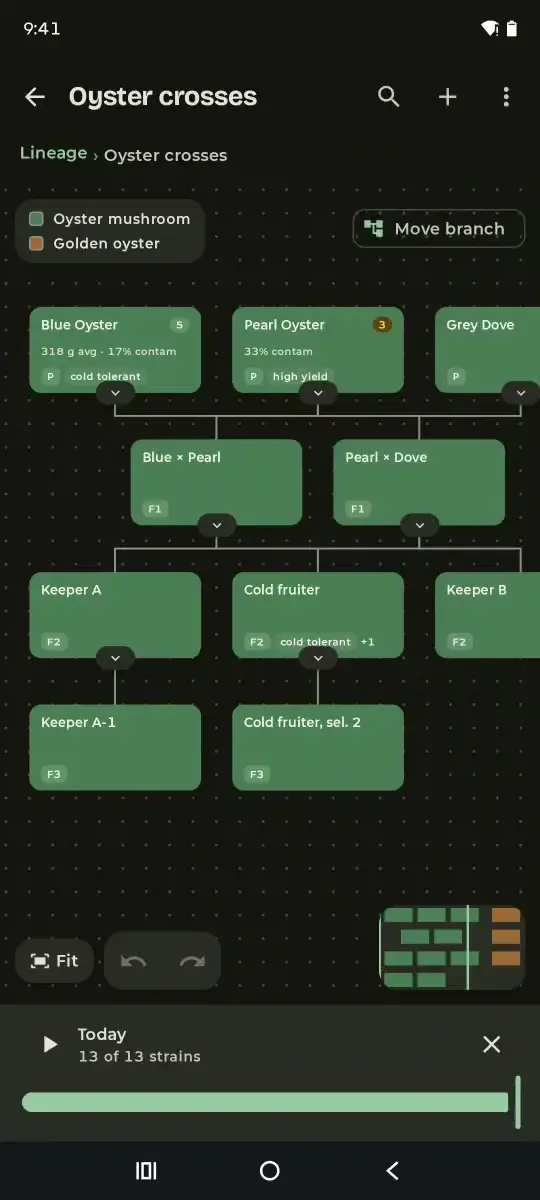
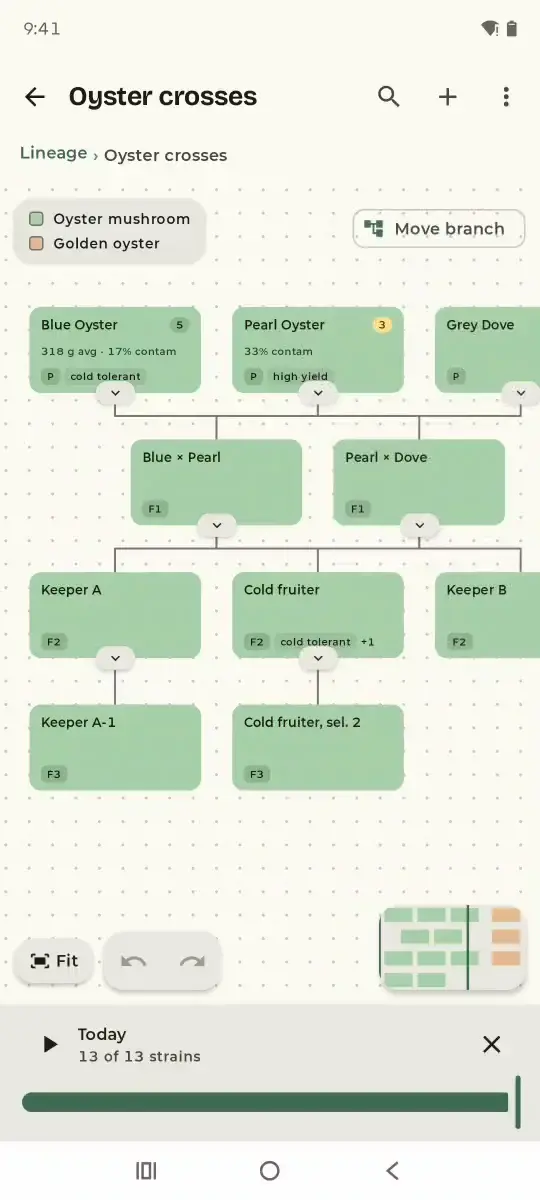
Record a breeding pair, label the generation, and keep as many trees as you like. Each card shows its species, generation, how many items came from that strain, and your trait tags. Tap a strain and its whole line lights up, back to the first spores and down to every descendant. Fold a branch away, or drag the slider back to see the tree as it stood weeks ago.
- Oyster mushroom Pleurotus ostreatus
- Golden oyster Pleurotus citrinopileatus
Drag to move around, pinch or Ctrl + scroll to zoom, drag a strain to move it, select one to trace its line, and use the arrows under a card to fold its branch.
Also on the app's canvas: tidy layout, undo and redo, a left-to-right view, a mini-map, search within a tree, comparing two strains, and dropping a line with a reason.
Everything else a grower records
- Reminders“Check colonisation on BAG-08”, day 10set per item, on the day you choose
- Conditions23.5 °C · 84 % humiditylogged against the tub it belongs to
- HarvestsTUB-02 · flush 1 · 318 g wetflush by flush, wet and dry weight
- Strain libraryBlue Oyster · Pleurotus ostreatusideal temperature and humidity, notes, favourites
- PaperworkPrint a report · CSV in and out · full backupyour records leave with you
- TrashDeleted BAG-07 by mistake?restore it
Example entries. Every feature listed is in the app today.
The same examples, in the app
SporeLog on a test phone, filled with the example data from this page. Switch the theme to see both, recordings included.
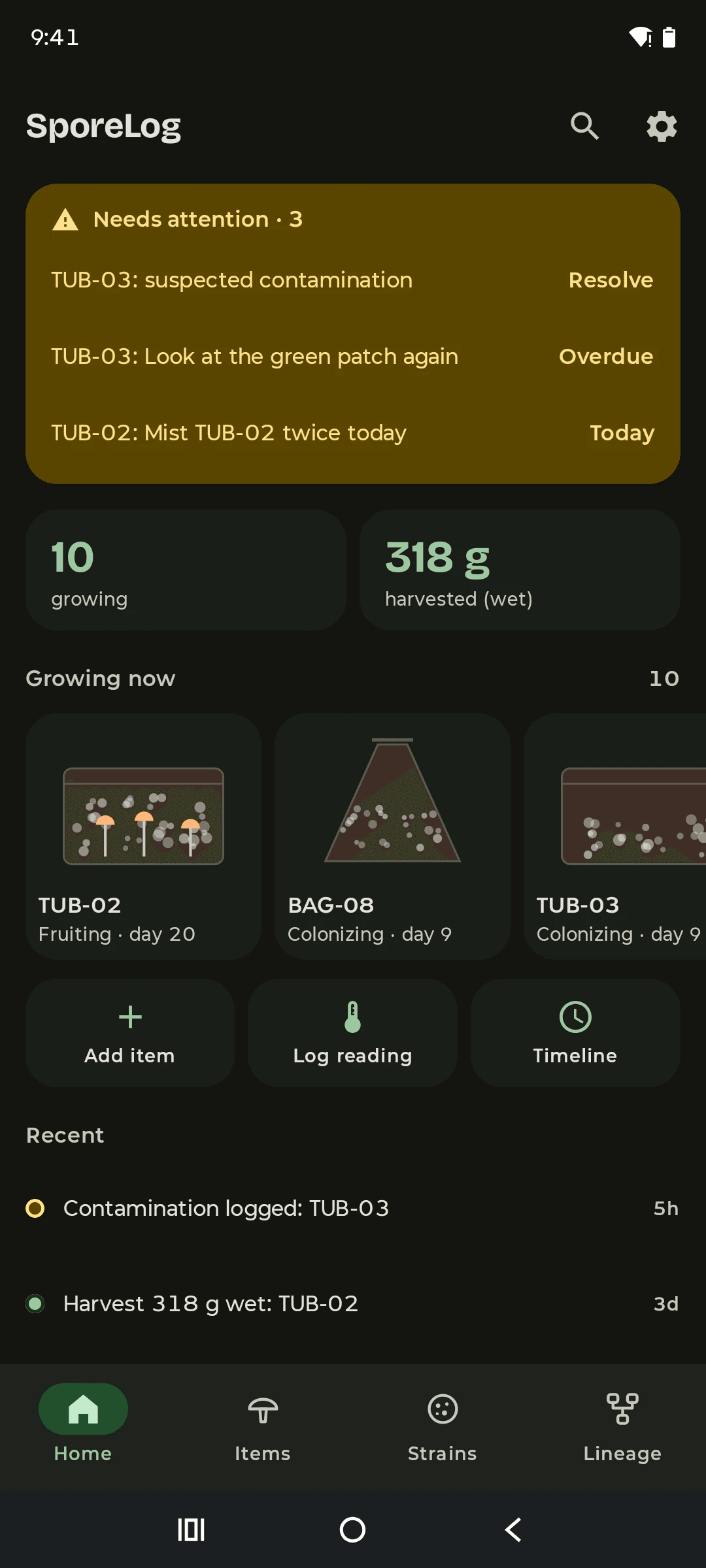
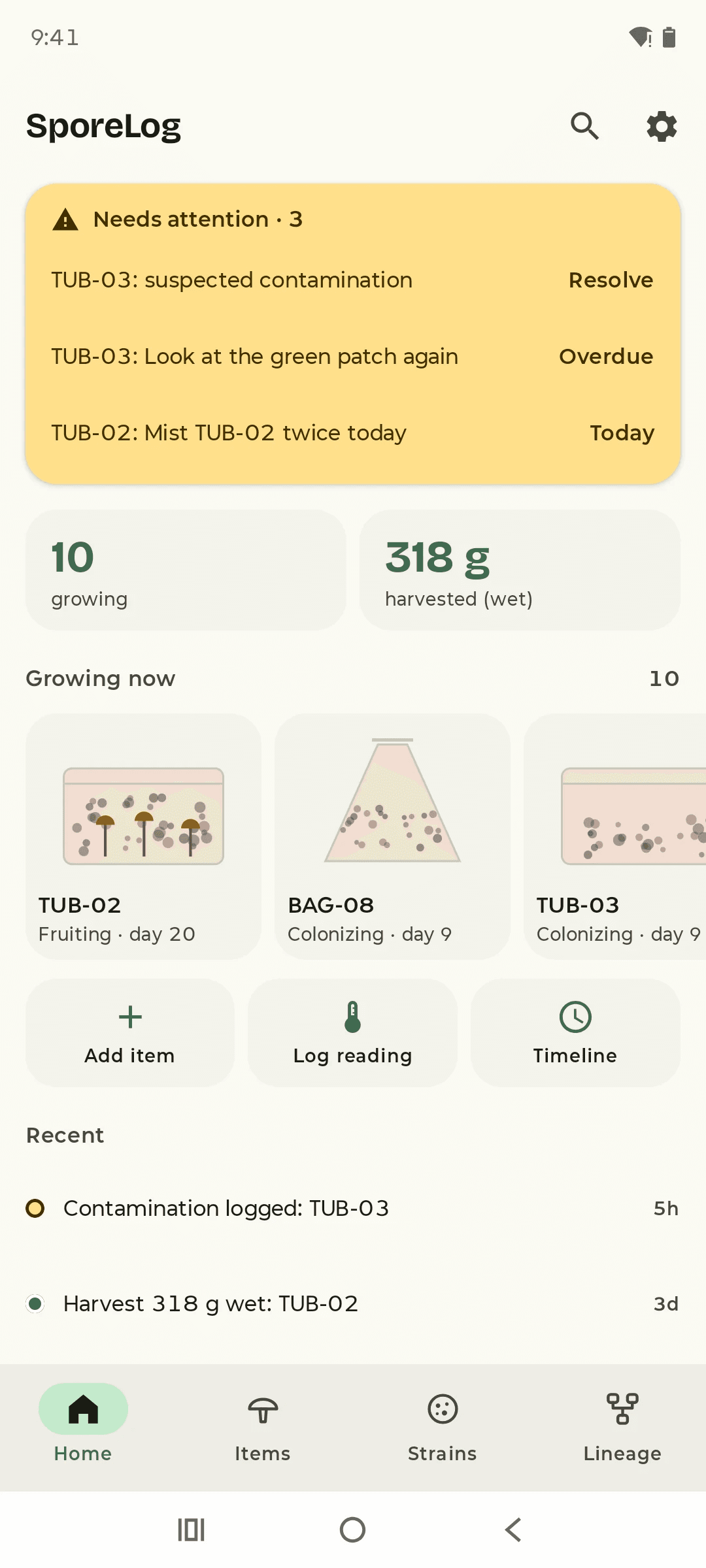
View AHome: TUB-03's pending contamination at the top, with the two reminders due. 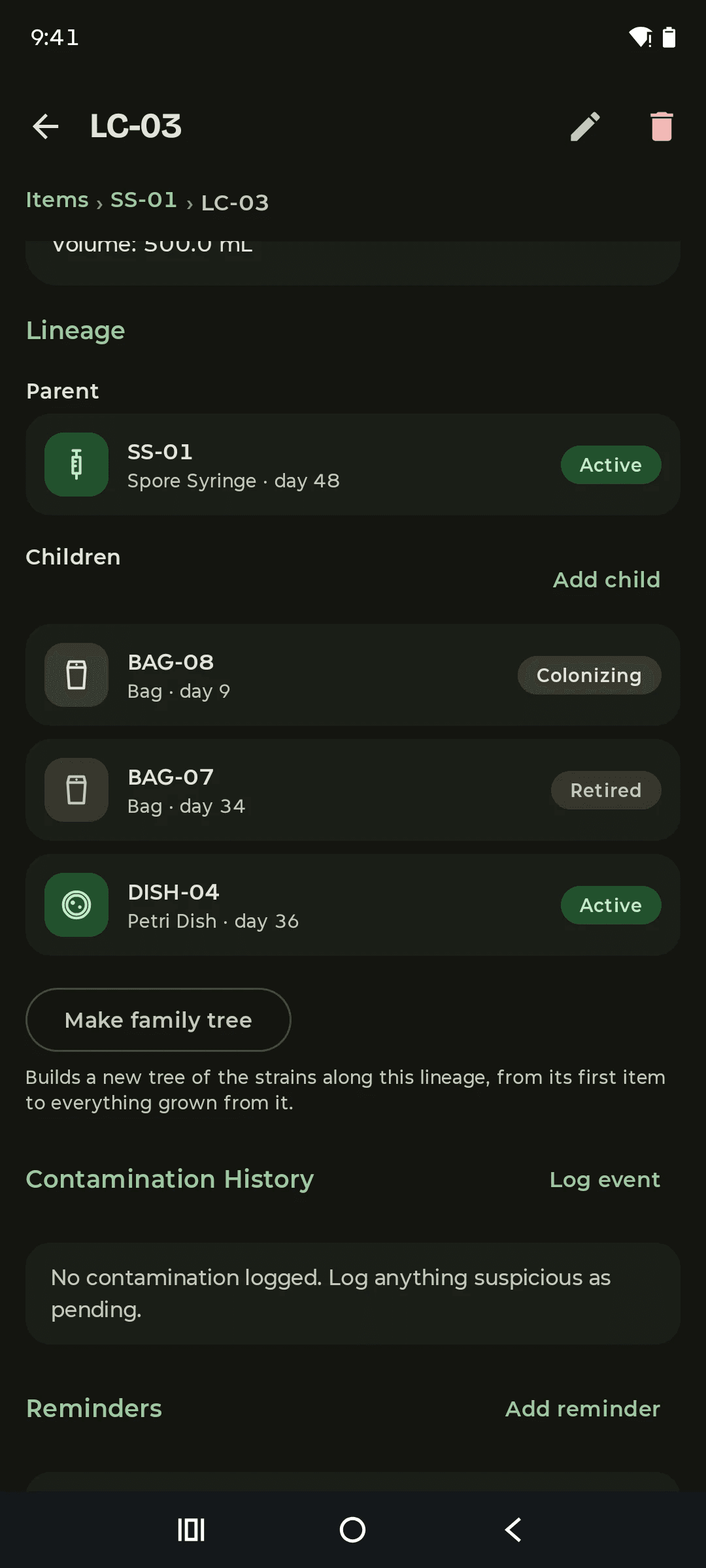
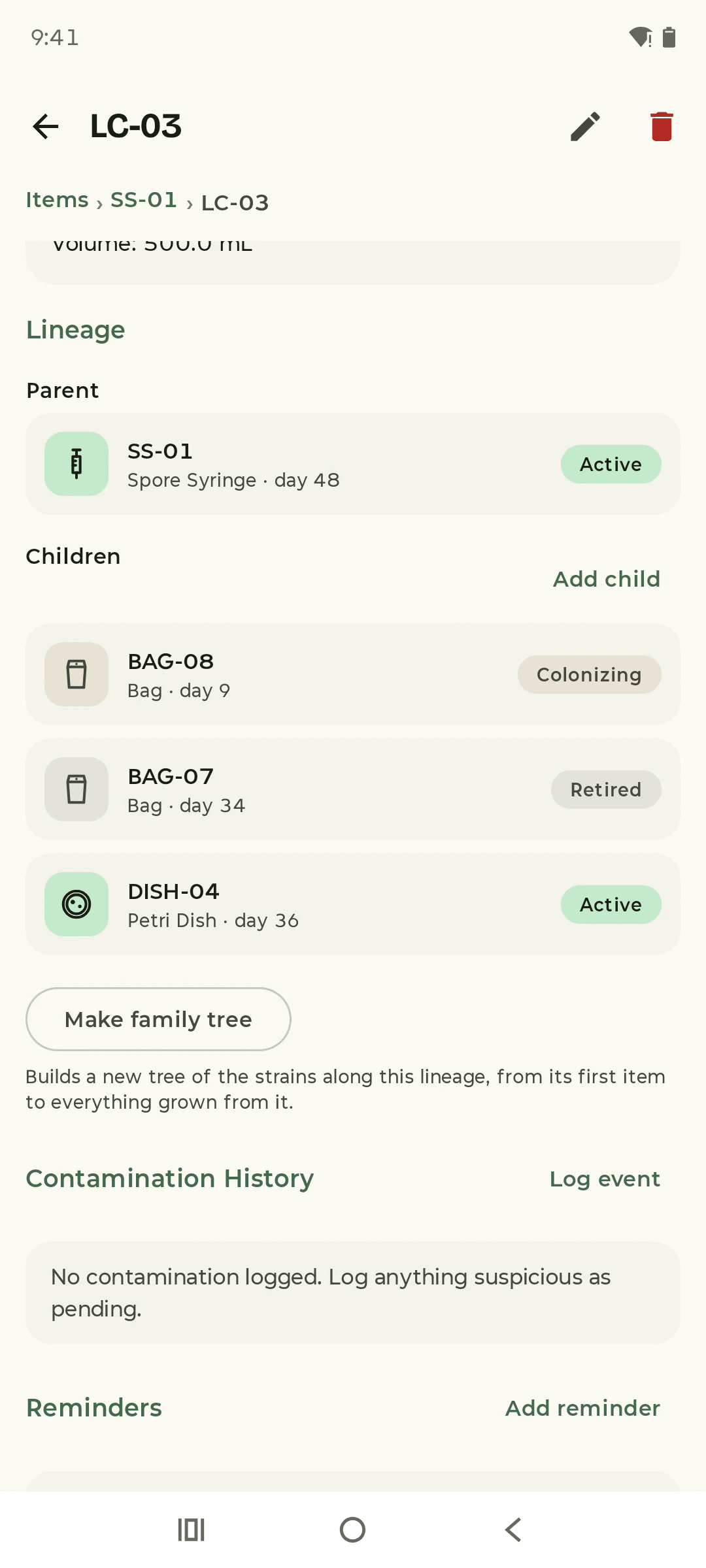
View BLC-03: where it came from, and the three things it seeded. 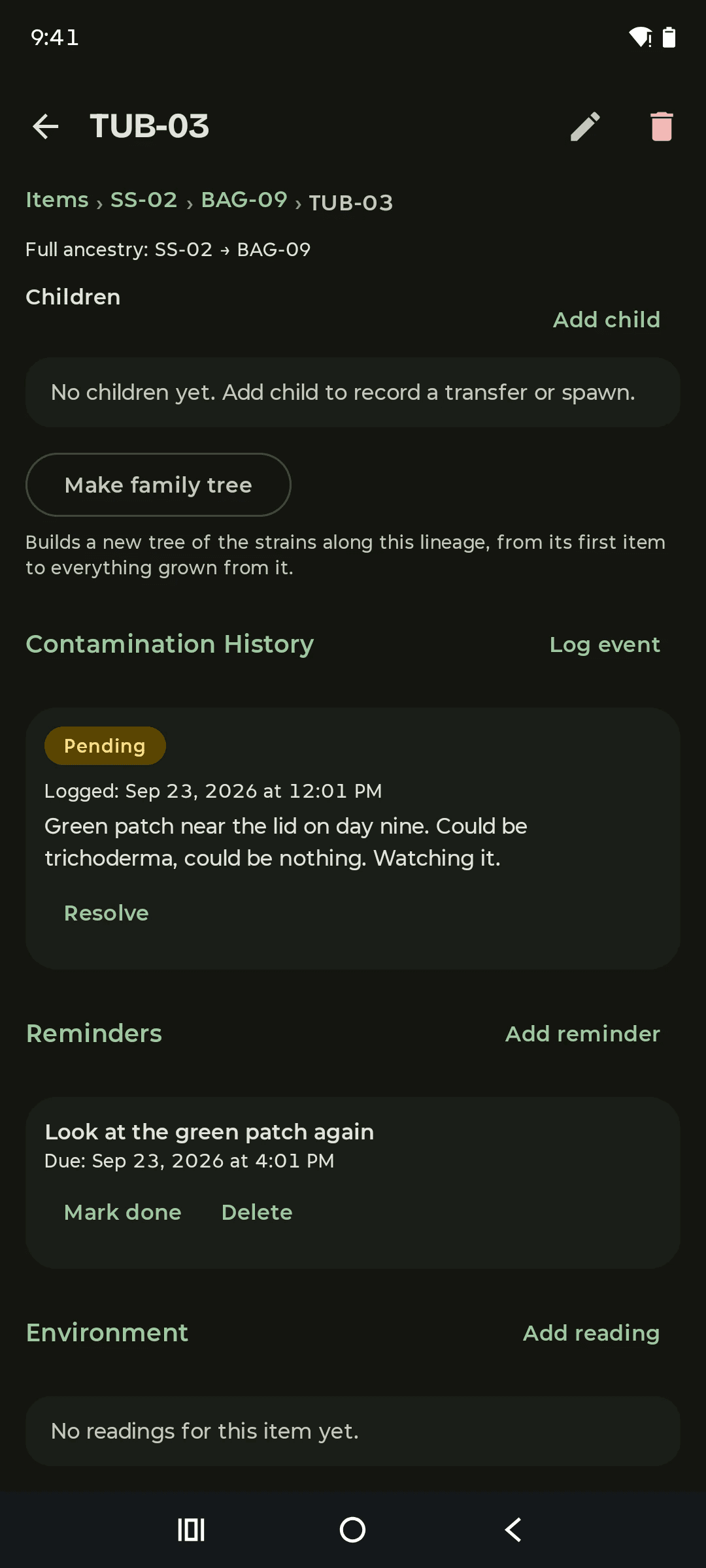
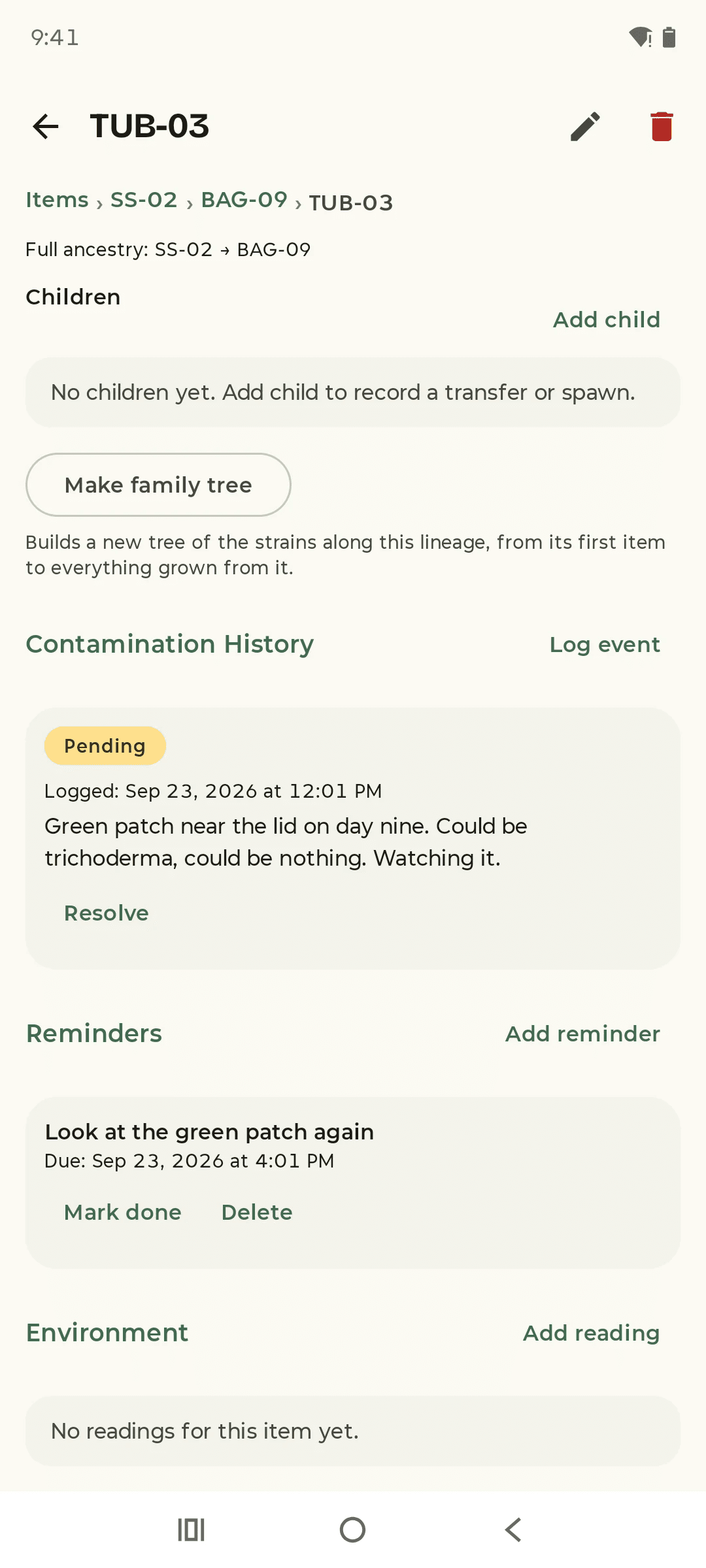
View CThe green patch on TUB-03, logged and still pending. 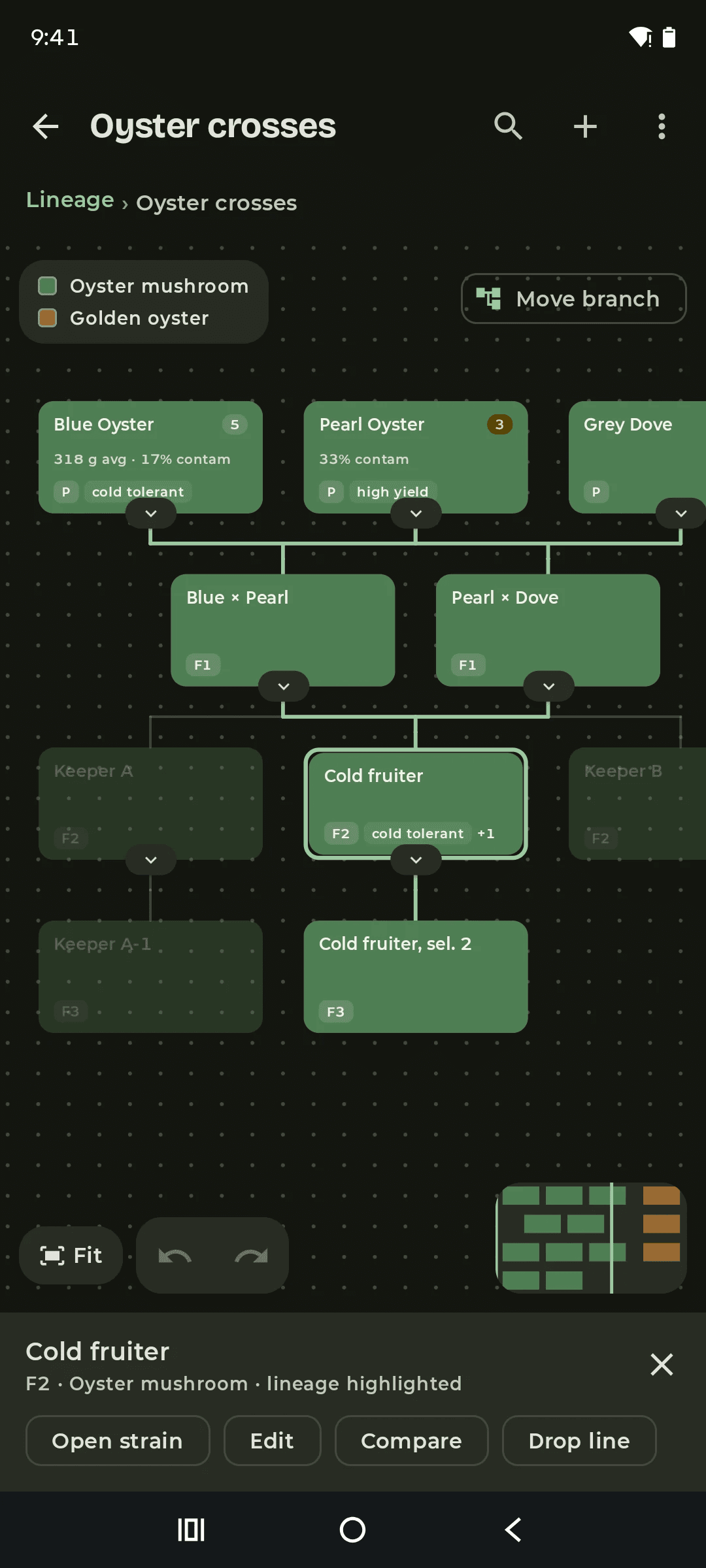
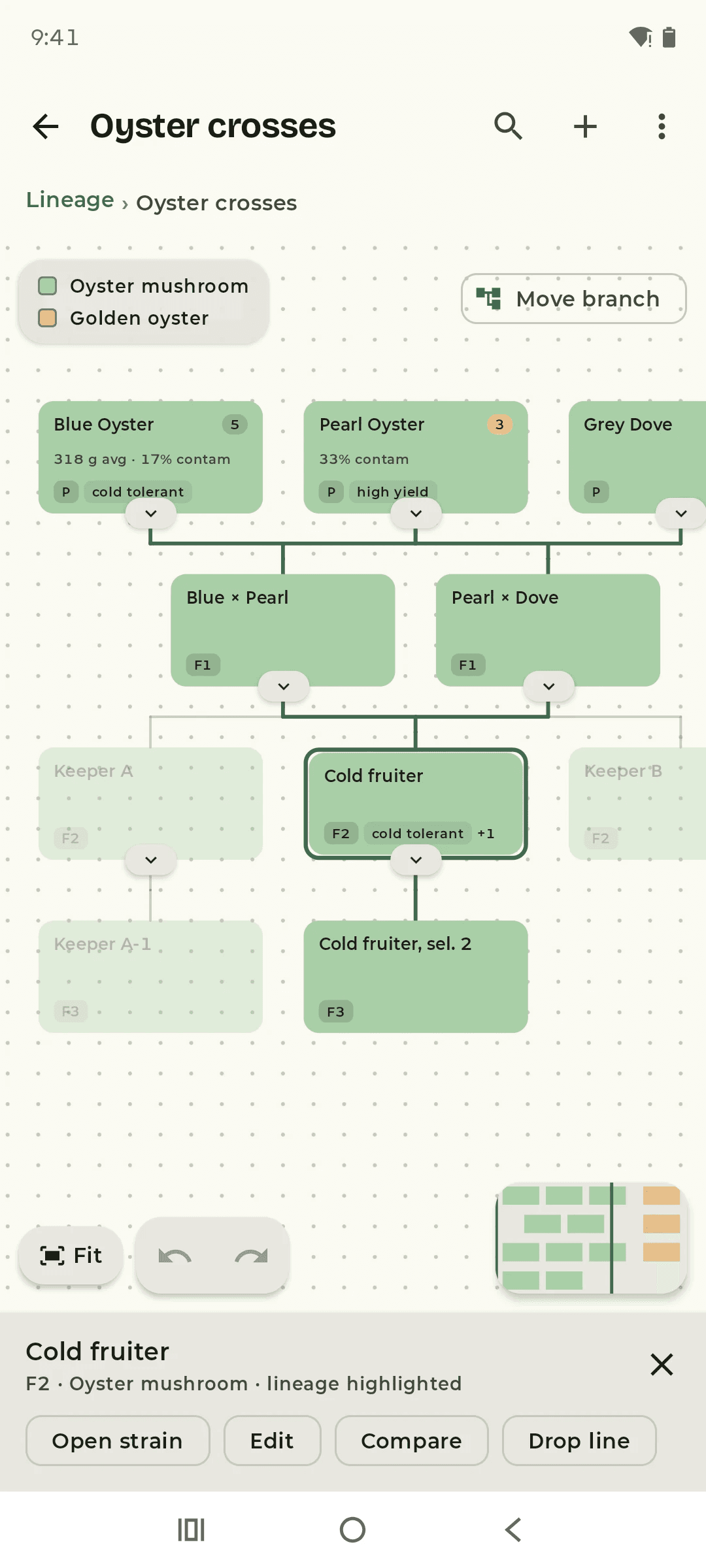
View DCold fruiter selected: its whole line lit, everything else dimmed.
1080 × 2400 · 2026-09-23 · example data
Tap the video to pause
Trace a line
Open the tree and tap Cold fruiter: both of its grandparent lines light up and everything else dims. Fold Pearl × Dove away and back, then drag the time-travel slider to watch the tree grow.
Get SporeLog
Free for Android phones, straight from this page. SporeLog is coming to Google Play later. Until then, this is the only place to get it.
SporeLog 1.0.0
Download for Android APK, 2.3 MBHow to install
- Open the file from your browser's downloads.
- Android asks, once, whether your browser may install apps. Tap Settings, switch on "Allow from this source", and go back. You can switch it off again afterwards.
- Tap Install, then Open.

On a computer? Scan this with your phone's camera to open this page there.
What's new in 1.0.0
- First release: items and their lineage, the family tree, contamination tracking, reminders, harvests and backups.
What it asks for
- Notifications, for reminders
- Start at boot, so reminders survive a restart
- Storage, for saving exports (Android 9 and older only)
- No internet access at all
Check the file (optional)
- SHA-256
a8c1cca021c69296614bf29d6fc81eb664af7700c1b2bcada94998346ca4885f- Size
- 2,264,258 bytes
- Signed by
AD:94:78:01:53:57:CD:5E:E7:EC:CD:B6:C8:51:E2:A4:19:FD:38:CD:82:49:1E:72:DC:32:60:99:C2:6E:3A:6A
The SHA-256 fingerprint of the signing certificate. Every release is signed with this same certificate, and Android refuses an update signed with anything else.
SporeLog never goes online, so it can't tell you when there's a new version. New versions are posted here and in the releases feed (RSS). Install a new version over the old one and your data stays.
Questions
- Do I need an account?
- No. SporeLog has no account and no analytics of its own, and your records never need an internet connection.
- Is SporeLog free?
- Yes. The download from this site is free with no ads. The Google Play edition, coming later, will be free with ads, and a one-off purchase removes them.
- How do I back up my records?
- In Settings, make a full backup: one file with everything in it, which you can save or send wherever you like. Restoring shows you what's in the file first, keeps a safety copy of your current records, and can be undone.
- Can I use my records in a spreadsheet?
- Yes. Export your items as a CSV file. Importing a CSV adds its rows as new items. The CSV holds each item's details; the links between items are kept in the full backup.
- Do reminders still work after my phone restarts?
- Yes. SporeLog sets your pending reminders again when the phone starts up.
- Can I print my records?
- Yes. Reports print through Android's print screen, which can also save them as a PDF. A family tree can be saved as a picture or printed.
- I deleted something by mistake.
- Deleted items, species and strains wait in Trash until you restore them or delete them for good.
Release
SporeLog is out, free from this page with no ads. A Google Play edition is coming later: free with ads, and a one-off purchase removes them.